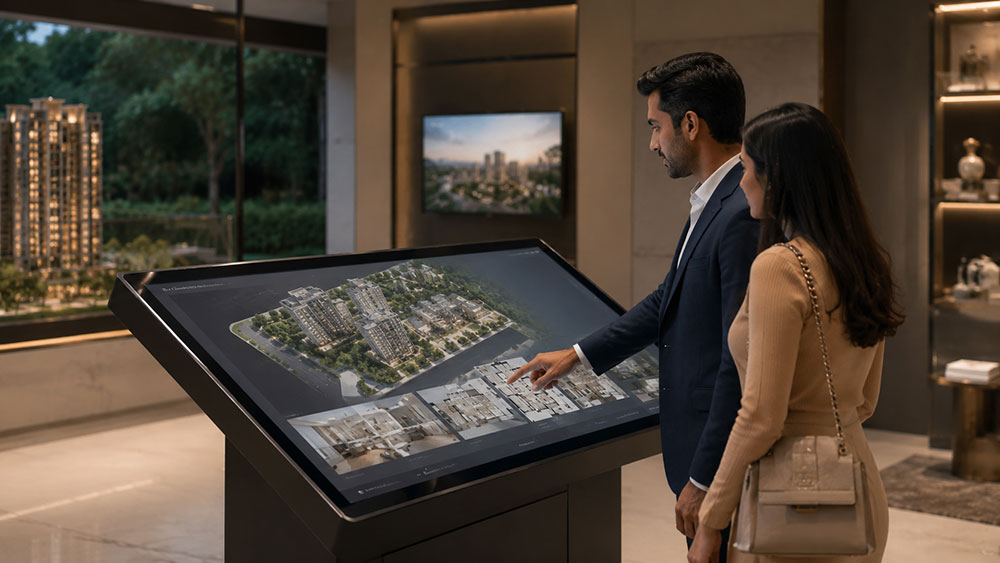
Interactive site map
Tap any tower, any floor, any unit on the master plan. See availability in real time,
tap into the floor plan for that unit type, and launch the 3D walkthrough — all from
one screen.
3D walkthrough per unit type
Each BHK variant has its own interactive walkthrough embedded in the kiosk. Buyers
walk through the specific configuration they're considering, not a generic show-home
that doesn't match their unit.
Finish & material selector
Toggle between standard and premium finishes in real time. Buyers see exactly how the
kitchen or bathroom looks with each option — making the upgrade conversation
effortless for your sales team.
Amenity flythrough
Show the clubhouse, pool, gym, and landscape at their finished best — directly on the
kiosk, contextualised within the site map so buyers understand exactly where each
amenity sits relative to their unit.
360° virtual tour gallery
Link to 360° tours of the sample flat, show home, or amenity areas — giving buyers
the most immersive version of any space with a single tap on the kiosk interface.
Callback & enquiry form
Buyers who are ready to move forward can tap, enter their number, and request a
callback directly from the kiosk — lead capture without any paper, clipboard, or
sales interruption.